



VideoZen - Chrome Extension


What is VideoZen ai chrome extension?
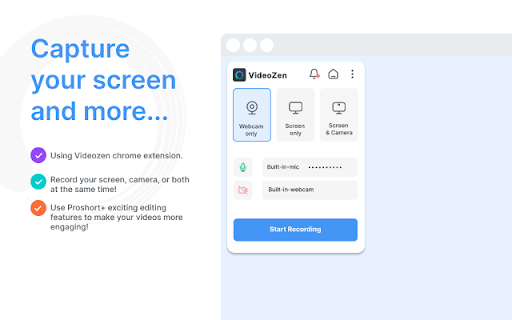
VideoZen is a video creation and editing platform powered by generative AI and ChatGPT, designed for screen and camera recording in custom modes. It allows users to record their screen, current tab, or camera in HD resolution, with options to include voice via microphone or internal audio. Videos can be saved locally or to the cloud, downloaded in MP4 format, and shared instantly with a link to platforms like Jira, Slack, and GitHub. VideoZen also offers inbuilt video editing capabilities.
How to use VideoZen ai chrome extension?
Use VideoZen to record your screen, a specific tab, or your camera. Choose your desired recording settings, including audio input. After recording, save the video locally or to the cloud, edit it using the inbuilt tools, and share the generated link with others.
VideoZen ai chrome extension's Core Features
Screen and camera recording in custom modes
Inbuilt video editing capabilities
Instant sharing via link
Generative AI and ChatGPT integration
VideoZen ai chrome extension's Use Cases
Record virtual meetings and discussions for future reference
Develop comprehensive training materials
Create compelling sales pitches
Provide technical support through recorded sessions
Showcase design insights with creative process recordings
Review software applications with real-time interactions
Offer guided tours of websites or apps
FAQ from VideoZen
What can I record with VideoZen?
How can I share my recordings?
What file format are the recordings saved in?
Analytic of VideoZen AI Chrome Extension
VideoZen Active Users
Total Installed User
Alternative of VideoZen AI Chrome Extension
 28.78% 27.06%